
Finding the right talent is only half the battle. Once you’ve found the perfect professional (or “iPro”) for your project, the next step is to formalize the relationship. At ProDoo, we’ve made the contracting process as seamless as the search itself.
In this guide, we’ll walk you through everything from creating your first contract to successfully closing a project.
1. Getting Started: The Contracts Dashboard
After you have shortlisted and interviewed your candidates, it’s time to make it official. Navigate to your dashboard and select the Contracts tab. If this is your first time, you’ll see a clean slate ready for your first collaboration.
2. Setting the Foundation
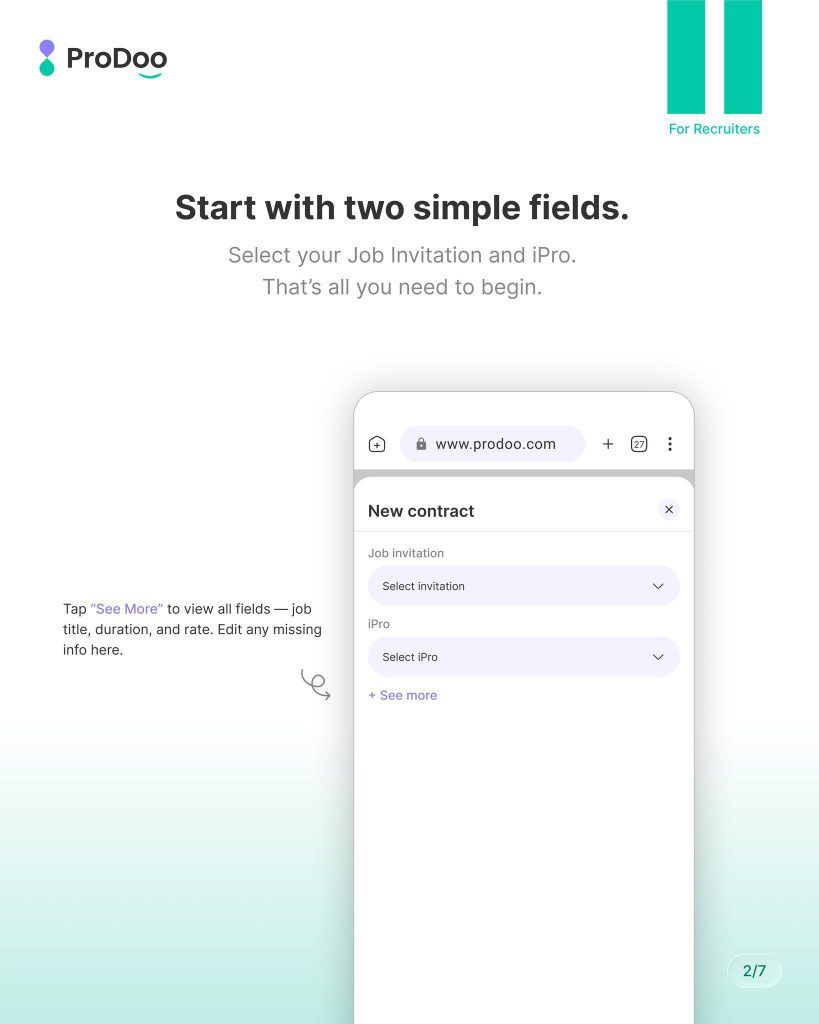
Starting a contract doesn’t require hours of paperwork. We’ve boiled it down to two essential fields to get the ball rolling. Simply select the Job Invitation and the iPro you wish to hire.
Pro Tip: Need to add more detail? Tap “See More” to edit the job title, duration, or specific rates before sending.
3. Review and Finalize
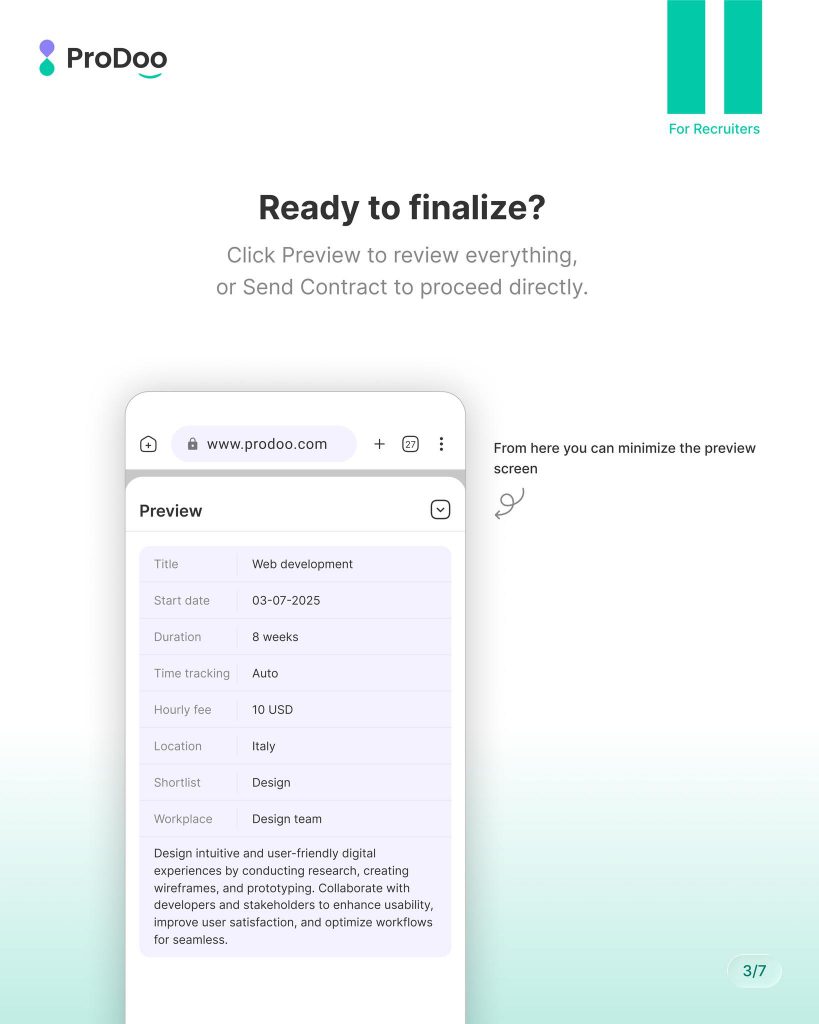
Accuracy is key to a healthy working relationship. Before the contract reaches the iPro, ProDoo provides a comprehensive Preview screen. Here, you can double-check the start date, hourly fees, and project description. Once satisfied, hit “Send Contract” to proceed directly.
4. Track Your Progress at a Glance
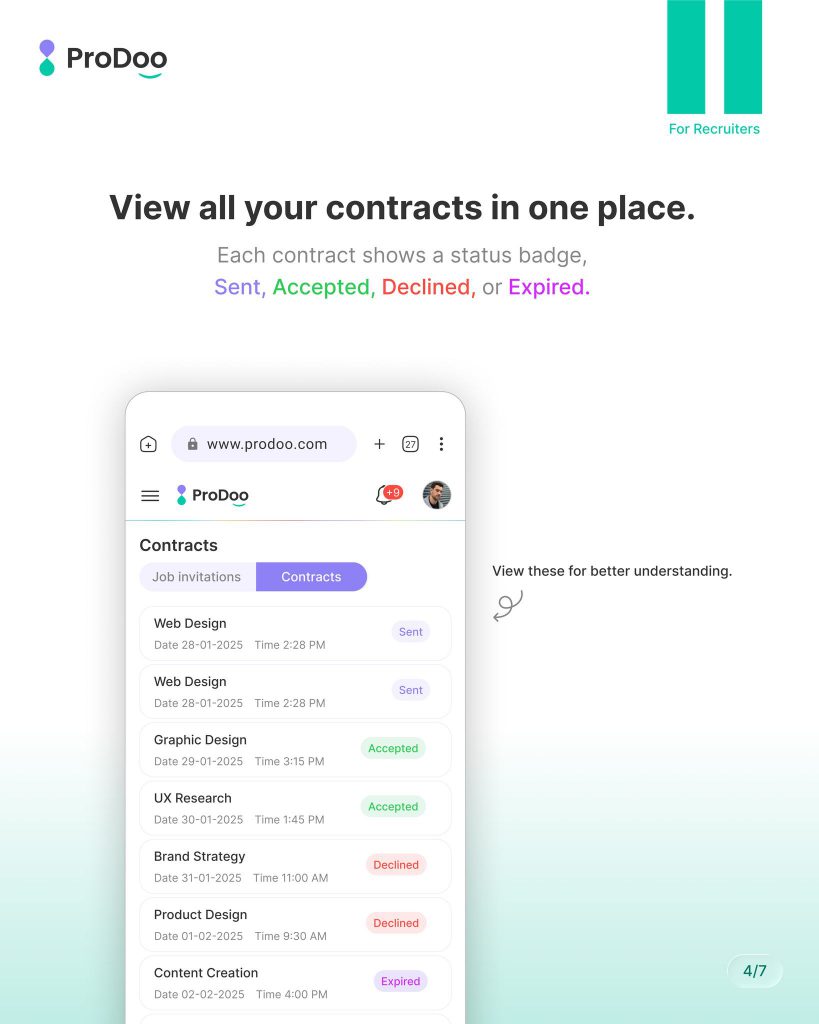
Transparency is at the heart of ProDoo. Our central contract hub allows you to monitor the status of every offer you’ve sent. Using color-coded badges, you can instantly see which contracts are:
- Sent: Awaiting iPro response.
- Accepted: Work is ready to begin!
- Declined/Expired: Time to pivot or restart the invitation.
5. Active Management and Quick Actions
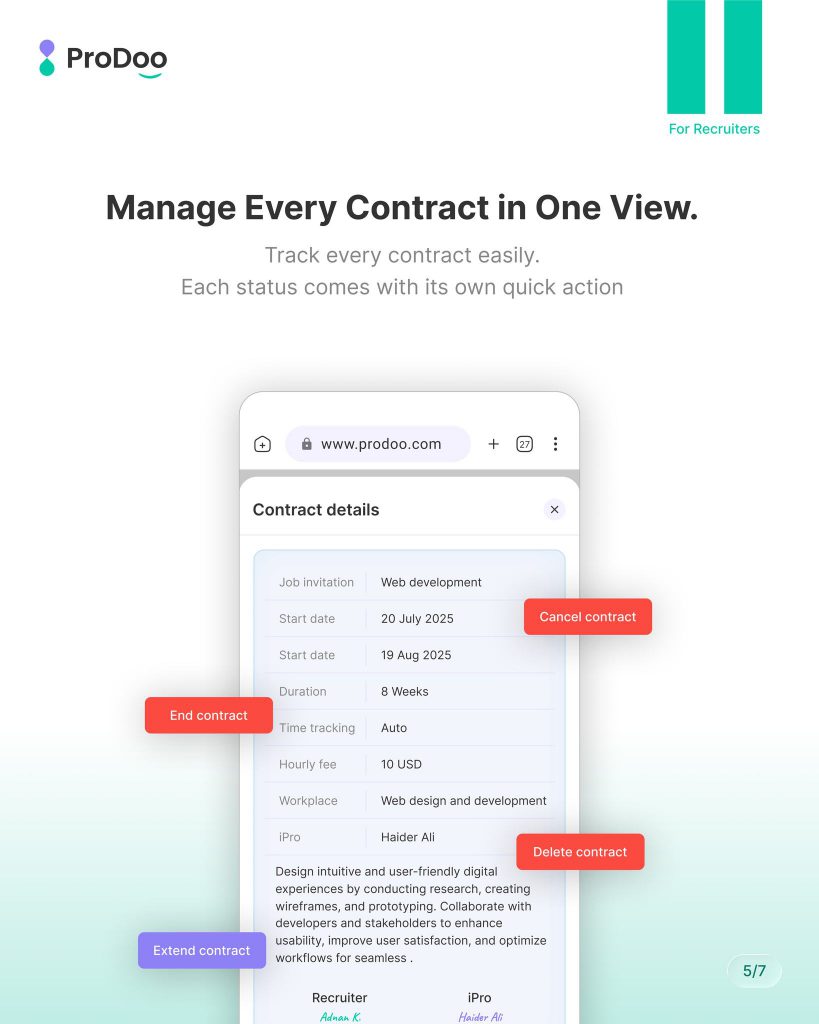
Projects are dynamic, and your contracts should be too. From the Contract Details view, you have full control over the lifecycle of the engagement. Depending on the status, you can access quick actions like:
- Extend Contract: For when you need more time with your iPro.
- End/Cancel Contract: To wrap up or stop a project early.
- Delete: To remove administrative clutter.